
honestech Video Patrol5.0 - Download
You'll be able to download in few seconds.
Publisher Description
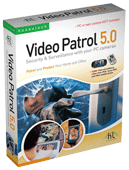
honestech Video Patrol 5.0 provides a comprehensive personal video monitoring surveillance solution. - Detects motion and provides live feed or recorded videos to you. - Control up to three PC cameras. - Send e-mail notices to specified e-mail accounts. - Schedule monitoring time slots. - Record surveillance videos in MPEG format and burn DVD. Monitor your children and their babysitter while you are away:
Are you concerned about your children\'s safety when you are away? Watch your children and their caretakers easily over the internet. -Keep a watchful eye on loved ones in the hospital or nursing home: Monitor patients in real-time and receive alert when motion is detected. -Monitor your office while you are away. -Watch over your business premises while you are away: Video Patrol 5.0 provides an inexpensive surveillance for your office or small business. -Back up your surveillance videos: Back up your videos on your FTP server or burn DVD. -Free Online membership (www.my-iptv.com) -View surveillance video from PDA, Sony PSP, and PDA mobile phone. Now you can enjoy a peace of mind when you are away from home or office. Video Patrol 5.0 takes care of monitoring and surveillance.
About honestech Video Patrol
This program is available in English. It was last updated on 02 November, 2026. honestech Video Patrol is compatible with the following operating systems: Windows.
The company that develops honestech Video Patrol is Honest Technology Co. Ltd.. The latest version released by its developer is 5.0.
The download we have available for honestech Video Patrol has a file size of 7.4 MB. Just click the green Download button above to start the downloading process. The program is listed on our website since 2006-01-10 and was downloaded 0 times. We have already checked if the download link is safe, however for your own protection we recommend that you scan the downloaded software with your antivirus. Your antivirus may detect the honestech Video Patrol as malware if the download link is broken.
How to install honestech Video Patrol on your Windows device:
- Click on the Download button on our website. This will start the download from the website of the developer.
- Once the honestech Video Patrol is downloaded click on it to start the setup process (assuming you are on a desktop computer).
- When the installation is finished you should be able to see and run the program.
Program Details
System requirements
Download information
Pricing
Version History
version 5.0
posted on 2006-01-10
-FTP Server Option -Auto Startup -Background Mode -Free Online membership (www.my-iptv.com) -View surveillance video from PDA, Sony PSP, and PDA mobile phone
version 4.0
posted on 2005-08-02
1. Multi Camera support
- Control up to three cameras at a time.
2. Data Burning.
- The recorded files can be saved into a CD or DVD.
- Supported Writer : CD-R/RW, DVD-R/-RW/+R/+RW.
3. To specify a monitoring area.
- You can specify a monitorinarea that be monitored by.
- A rectangle appears in the camera screen, indicating the currently monitored area.
4.Sensitivity Control.
- You can use two sensors to specify your response to a motion.
Disclaimer
External Download
We do not host honestech Video Patrol on our servers. We did not scan it for viruses, adware, spyware or other type of malware. This app is hosted by the software publisher and passed their terms and conditions to be listed there. We recommend caution when installing it.
The external download link for honestech Video Patrol is provided to you by apps112.com without any warranties, representations or guarantees of any kind, so access it at your own risk.
If you have questions regarding this particular app contact the publisher directly. For questions about the functionalities of apps112.com contact us.
